

Is My WordPress Site Hacked? How to Check
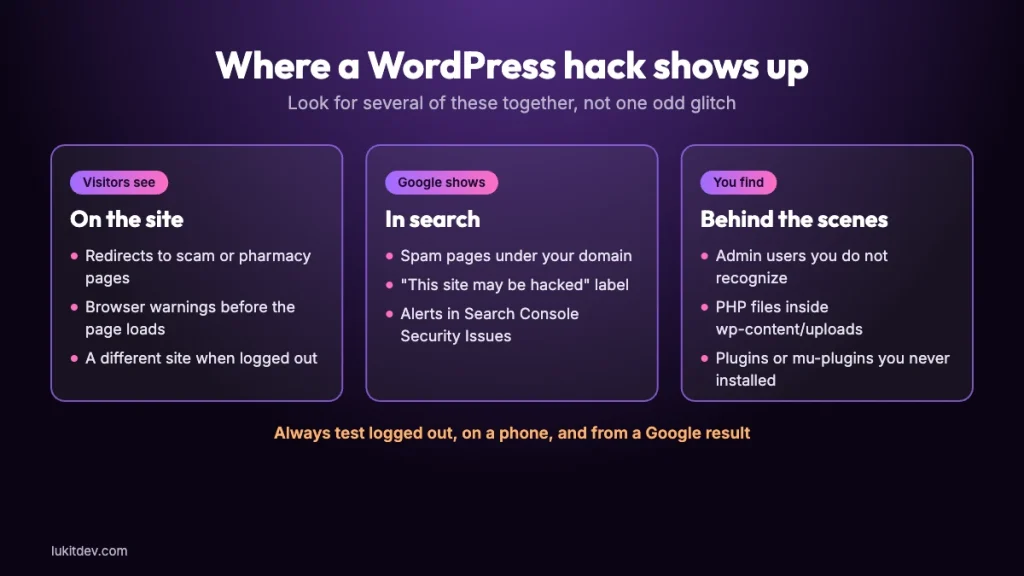
Your WordPress site is probably hacked if you see things you did not publish: redirects to strange sites, spam pages showing up in Google under your domain, admin accounts you do not recognize, or a warning from Google or your host. One odd glitch is not proof. Several of these together usually is.
I have worked on WordPress sites for years and given talks on WordPress security at WordCamp events, and the pattern is almost always the same. The owner notices something small, deletes what looks wrong, and the infection comes back a week later because the way in was never closed. Here is how I check, in the order I check it.
What are the signs a WordPress site is hacked?
- Redirects you did not set up. Visitors get sent to a scam, pharmacy or prize page. Some malware only redirects people who arrive from Google, or only on phones, so the site can look fine when you type the address yourself.
- Spam in your search results. Search Google for site: followed by your domain. Pages in another language, or titles about pills, loans or replica goods, mean someone is publishing on your site.
- Admin users you do not recognize. Open Users in wp-admin and filter by Administrator.
- Warnings from Google, your browser or your host. “This site may be hacked” in search results, a red browser warning, or a suspension email.
- Files that should not be there. PHP files inside wp-content/uploads, plugins you never installed, or a mu-plugins folder you did not create.
- Sudden changes in traffic. A drop in search traffic, or a spike in requests to pages that do not exist.
How do I confirm it?
- Open Search Console. Check the Security Issues report and the Manual Actions report. If Google has flagged malware or spam, it says so there.
- Check your domain’s Safe Browsing status in Google’s Transparency Report.
- Load the site logged out, on a phone, and from a Google search result. Conditional redirects often hide from logged-in admins.
- List administrators and recently changed files. Most hosts let you sort files by modified date over SFTP or in a file manager. Recently changed WordPress core files are a red flag, because nobody should be editing them.
- Run a scanner. A remote scanner sees what visitors see, and a server-side scanner such as Wordfence reads the files. Neither catches everything, so I use both.
What should I do first if it is hacked?
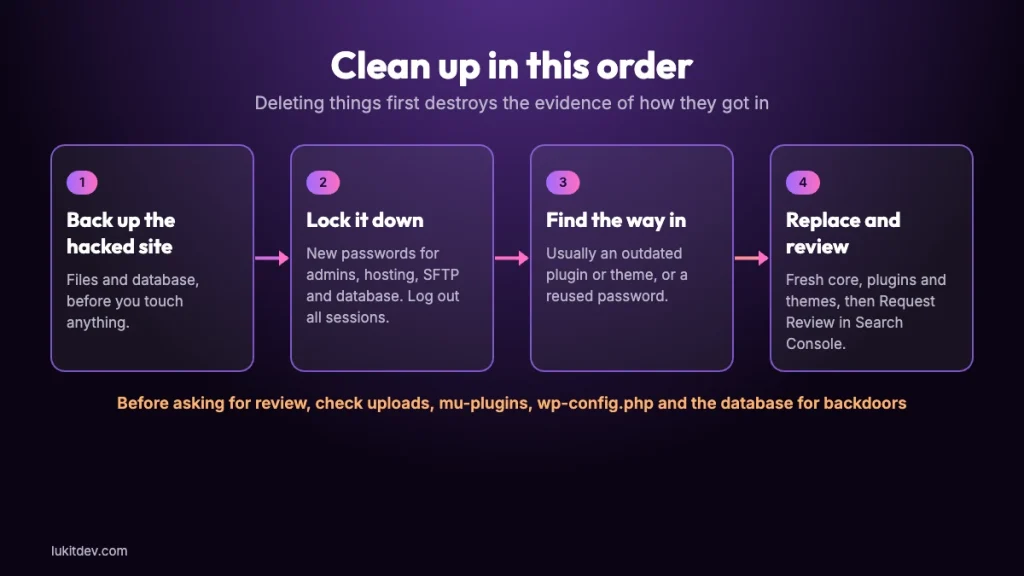
Do not start deleting things. That is the most common mistake I see, and it destroys the evidence of how they got in.
- Take a full backup of the hacked site, files and database. It feels backwards, but you need a copy to compare against and something to roll back to if the cleanup breaks the site.
- Change every password that touches the site: WordPress admins, hosting, SFTP, the database, and any API keys stored in the site. Log out all sessions.
- Find the way in. The usual causes are an outdated plugin or theme with a known vulnerability, a reused or leaked password, or a pirated premium plugin.
- Replace, do not patch. Reinstall WordPress core, plugins and themes from fresh copies instead of cleaning infected files line by line, and remove anything you do not use.
- Hunt for backdoors in uploads, mu-plugins, wp-config.php and the database. Attackers usually leave more than one way back in.
- Ask Google to review the site. Once it is clean, use Request Review in the Search Console Security Issues report.
How do I stop it from happening again?
Most hacked sites I see were not targeted. They were running a plugin with a known hole, and an automated scan found it. Keep plugins and themes updated, delete the ones you do not use, give every admin a unique password and two-factor login, and keep off-site backups you have actually tested restoring. A firewall in front of the site, such as Cloudflare, also cuts down a lot of the automated traffic.
If you would rather hand this off, I clean up and harden WordPress sites as part of my WordPress speed, security and technical SEO work. I also wrote up what I covered in my WordCamp talk on WordPress security best practices.
Common questions
Can I just restore last week’s backup?
Only if you know the backup is from before the infection and you also close the hole that let them in. Otherwise the site gets reinfected the same way, often within days.
Will a security plugin clean it for me?
It can find and remove a lot, but it runs inside the same WordPress install that was compromised. I treat scanner results as a starting list, not proof the site is clean.
Why does my site look fine to me but not to visitors?
A lot of malware hides from logged-in admins and only targets visitors who come from search engines or use phones. Always test logged out.

Lucas Alvarado — Senior marketing technology and web operations consultant. HubSpot, Salesforce, Pardot, and high-traffic WordPress for B2B revenue teams. Based in Miami, working with companies across the US.